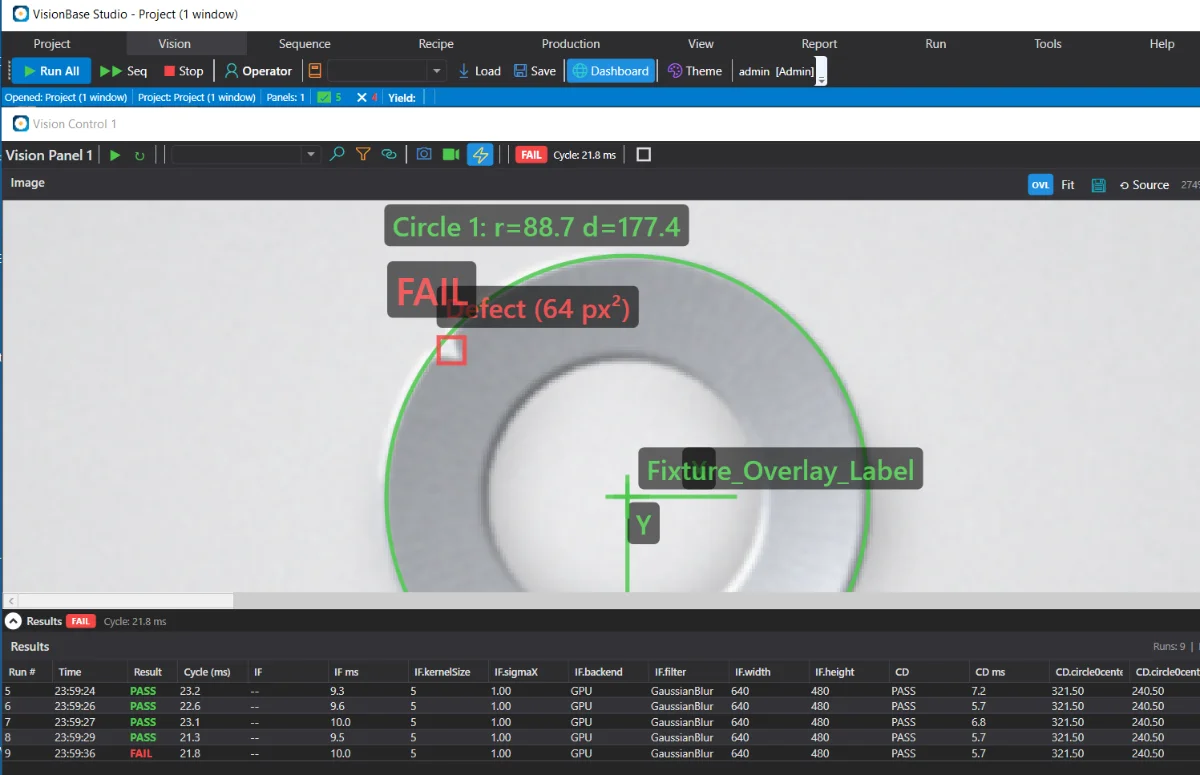
Operator mode presents the live image, the pass/fail result, run controls, and the current statistics. Tool, sequence, and configuration panels are hidden, and engineering settings require a login, so the inspection cannot be changed unintentionally.
The result is shown clearly, with the relevant region highlighted on the part. Measurements are available but not required for routine use.
The operator selects the recipe for the product being inspected. The associated parameters are fixed by the recipe.
Configuration panels are hidden in Operator mode and require an engineer login, so the inspection is not changed during a shift.
Pass/fail counts and current yield remain visible, so the operator can see how the shift is progressing.
The operator login opens to the run station.
Choose the product being inspected.
Parts are triggered automatically or by the line signal.
Passing parts continue; failing parts are flagged for handling.
We can demonstrate Operator mode running an inspection and the training required for a new operator.